边线滑移
参考
- 模式:
编辑模式
- 菜单:
- 快捷键:
G 两次
将选定的边线沿其相邻面移动。
Hint
Use 选择循环 to quickly select a chain of edges that goes around the mesh.
用法
Select one or more edges, press G twice, move the mouse, and click LMB to confirm (or RMB to cancel).
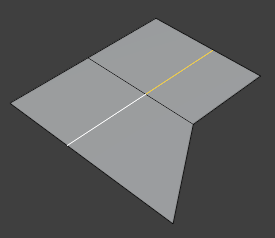
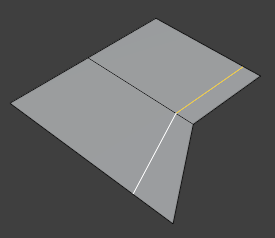
默认情况下,所选边上的顶点均以相同 百分比 向其相邻顶点移动:
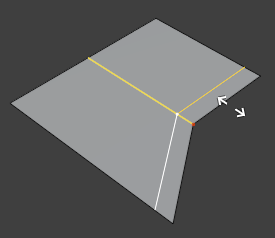
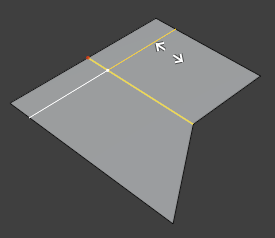
在 均匀 模式下,顶点与其相邻点保持相同的 距离。红点指示其观察侧(即所选的邻近侧):
选项
当工具处于激活状态时,系数 会显示在 3D 视窗顶部,快捷方式则显示在状态栏中。在点击 鼠标左键 确认后,用户仍可通过调整上一步操作面板调整。
- 系数
滑移方向与幅度。-1 和 1 的取值会使每条选定边完全移动至其相邻边之一。
- 均匀 E
By default, each vertex is moved by the same percentage along the length of its edge. Use Even to instead move all vertices so they're at the same absolute distance from a neighboring vertex. (The Factor input is still a relative number, however.)
- 翻转 F
Use the other neighboring vertex when Even is active.
- 钳制 Alt 或 C
防止边线移出相邻面。
- 镜像编辑
同时将滑移边线对齐至网格的另一侧。需启用网格对称方可正常使用。
- 校正 UV
修正移动顶点的 UV 坐标以避免纹理失真。
See also