曲线数据
参考
- 编辑器:
3D 视图
- 模式:
编辑模式
- 菜单:
The Curve Data panel in Edit Mode provides settings that affect the currently active Grease Pencil curve. These options control how the stroke is evaluated, displayed, and rendered.
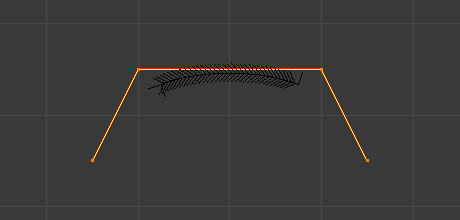
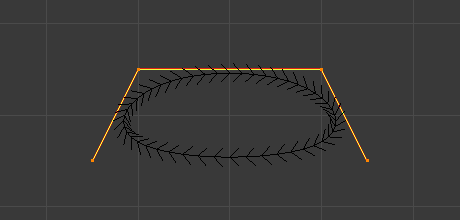
- 闭环
通过将最后一个控制点重新连接至第一个控制点,从而闭合活动样条线。
启用后,曲线会形成连续环状结构。禁用时,样条线将保持开放状态。
- 结模式 NURBS
控制沿 NURBS 样条线生成结点的方式,这会影响参数化和形状行为。
- 法向:
使用间距均匀的结点。生成一条受控制点均匀影响的平滑曲线。
- 端点:
将曲线钳制,使其通过第一个和最后一个控制点。
- 贝塞尔:
使 NURBS 曲线的行为类似于贝塞尔曲线。NURBS 控制点的作用类似于 自由 贝塞尔控制柄。
- 端点贝塞尔:
将端点钳制与类贝塞尔行为相结合。
- 自定义:
允许手动控制结点值。
- 阶数 NURBS
定义 NURBS 曲线的数学阶数。该阶数决定了每条被评估的曲线段受多少个控制点的影响。
数值越大,意味着每个控制点对曲线的影响范围越广,从而使过渡更加平滑。数值越小,影响范围越小,过渡则越陡峭。
阶数 的有效范围通常为 2 到 6,具体取决于控制点的数量。
- 分辨率 NURBS 贝塞尔 Catmull Rom
通过改变解算样条线时使用的细分数量,调整各分段的分辨率。
更高分辨率值可生成更平滑的曲线,但会增加计算成本。数值降低会减少细节表现,但可提升性能。
- 填充的不透明度
Controls the opacity of the fill area of the stroke. A value of 0 makes the fill fully transparent, while higher values increase its visibility.
- 前端封盖
定义笔画起点的形状。
- 圆(四舍五入):
在笔画起点添加一个圆盖。
- 平展:
笔画末端呈平直边缘。
- 末端封盖
定义笔画末端的形状。
- 圆(四舍五入):
在笔画末尾添加一个圆盖。
- 平展:
笔画末端呈平直边缘。
- 柔和度
Controls how smoothly the fill transitions toward the stroke boundary. Higher values create a softer falloff near the edges.
- U 缩放
Scales the stroke's texture coordinates along its length. Useful for controlling how materials or texture patterns repeat along the stroke.
- 宽高比
Controls the scaling relationship between the stroke's width and height when using certain material or texture effects. Adjusting this value can stretch or compress fill and stroke patterns.